A journal fails when it asks for an evening. Almanac asks for thirty seconds: one frame, two lines, one emoji. The days stack up into a mosaic of your year, and at the end of it you have a book you could actually put on a shelf.
Download
Get Almanac
Daily Diary, Mood & Memories
Almanac is an offline photo journal that takes thirty seconds a day: one frame, two lines, a mood and a score. Your days become a colour mosaic, a yearly recap and a printable book — all stored on your device.
Category
Lifestyle
Price
Free
Screenshots
See Almanac in action
Real screens from the App Store listing.
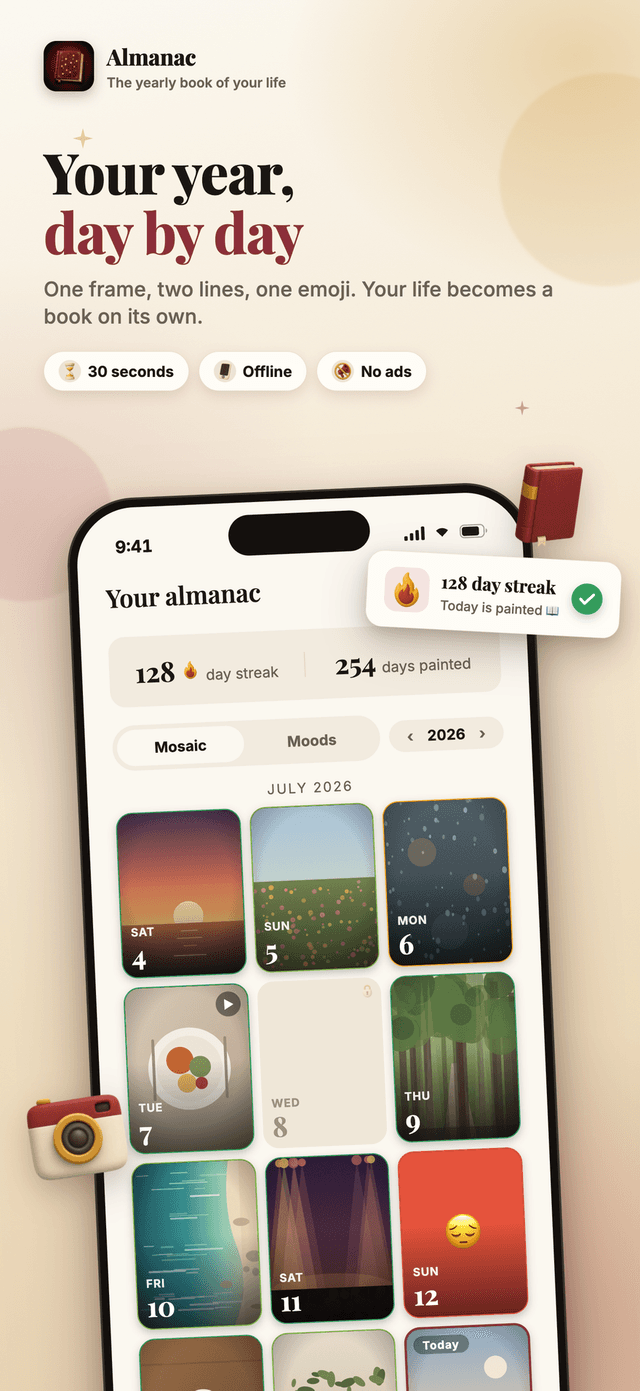
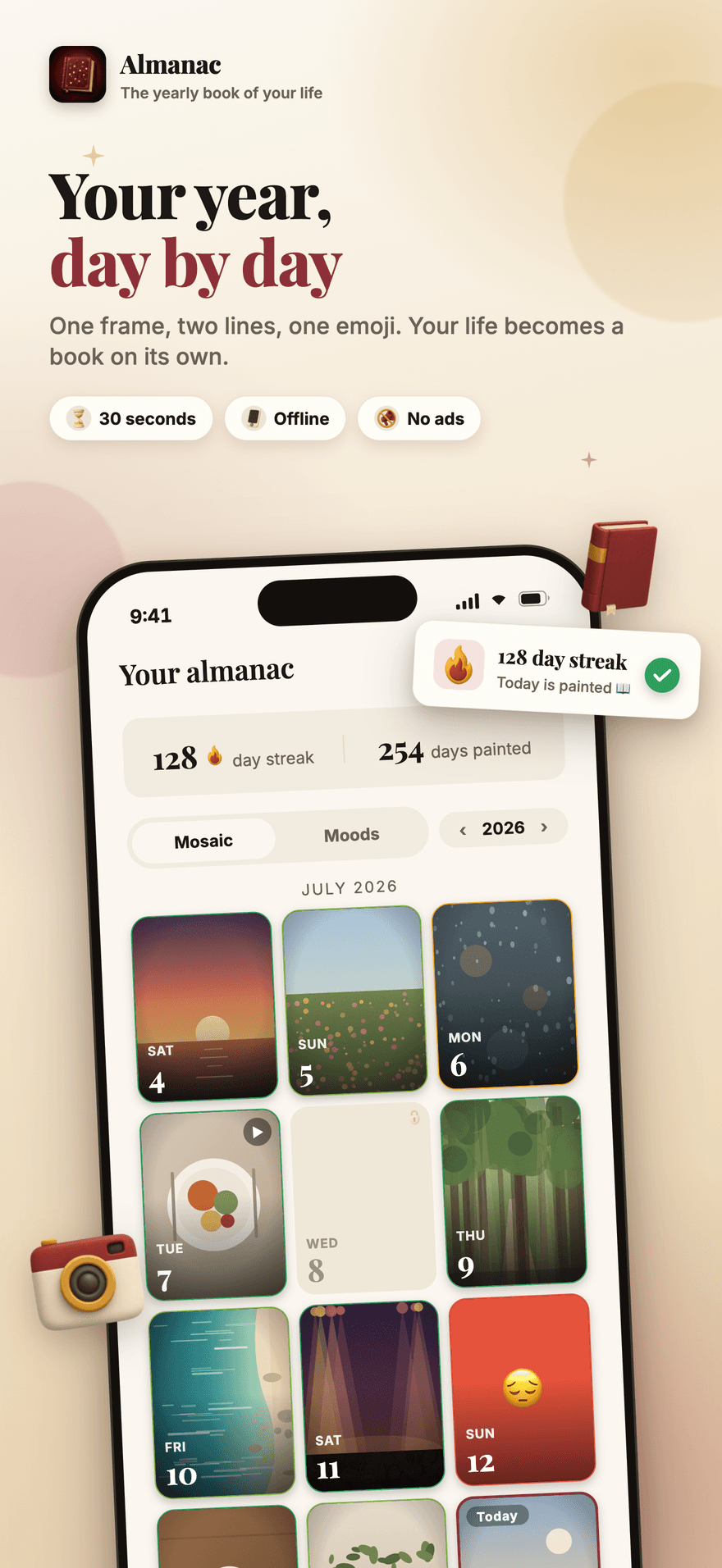
Almanac home screen: a year of days as a photo mosaic, with the current streak and the number of days painted
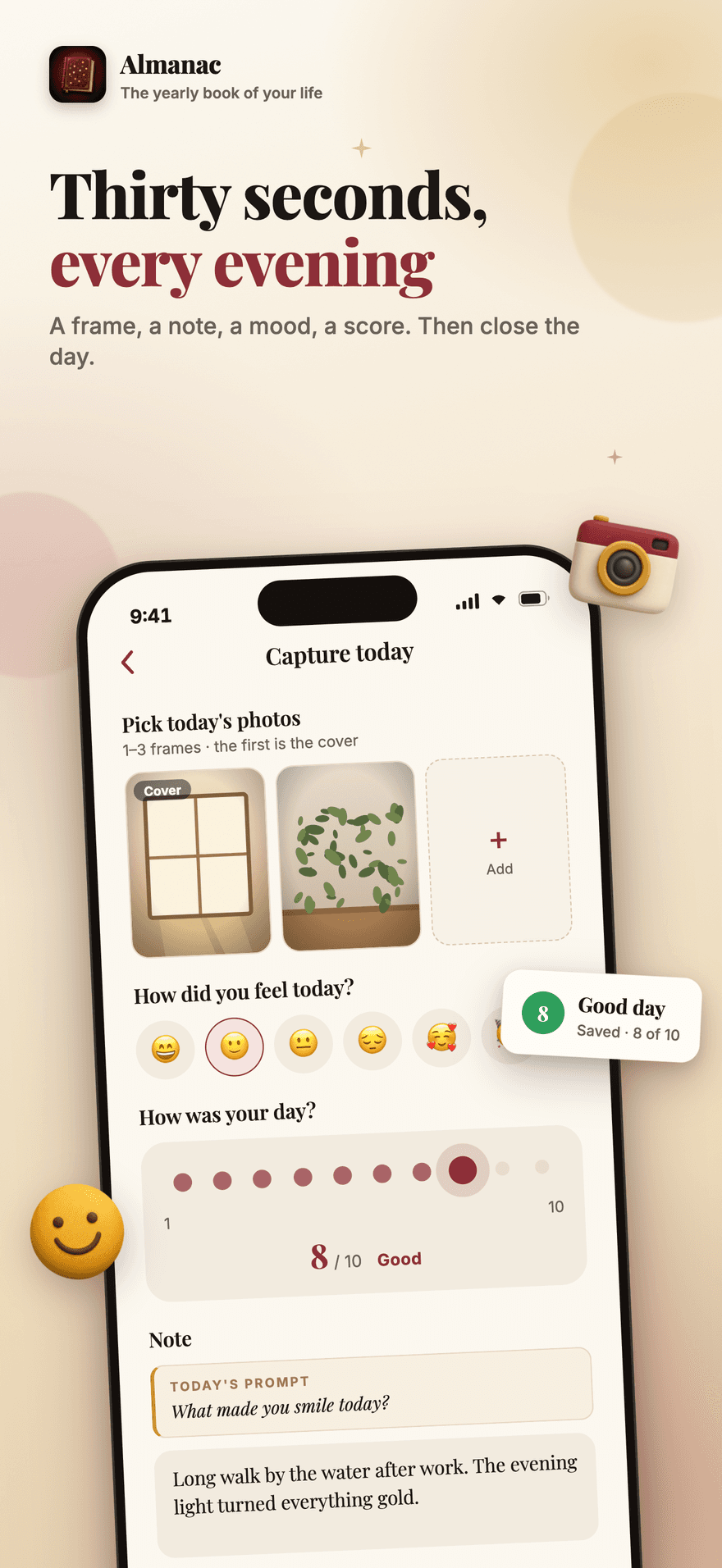
The Almanac day editor with a photo, a two-line note, a mood emoji and a one-to-ten score for the day
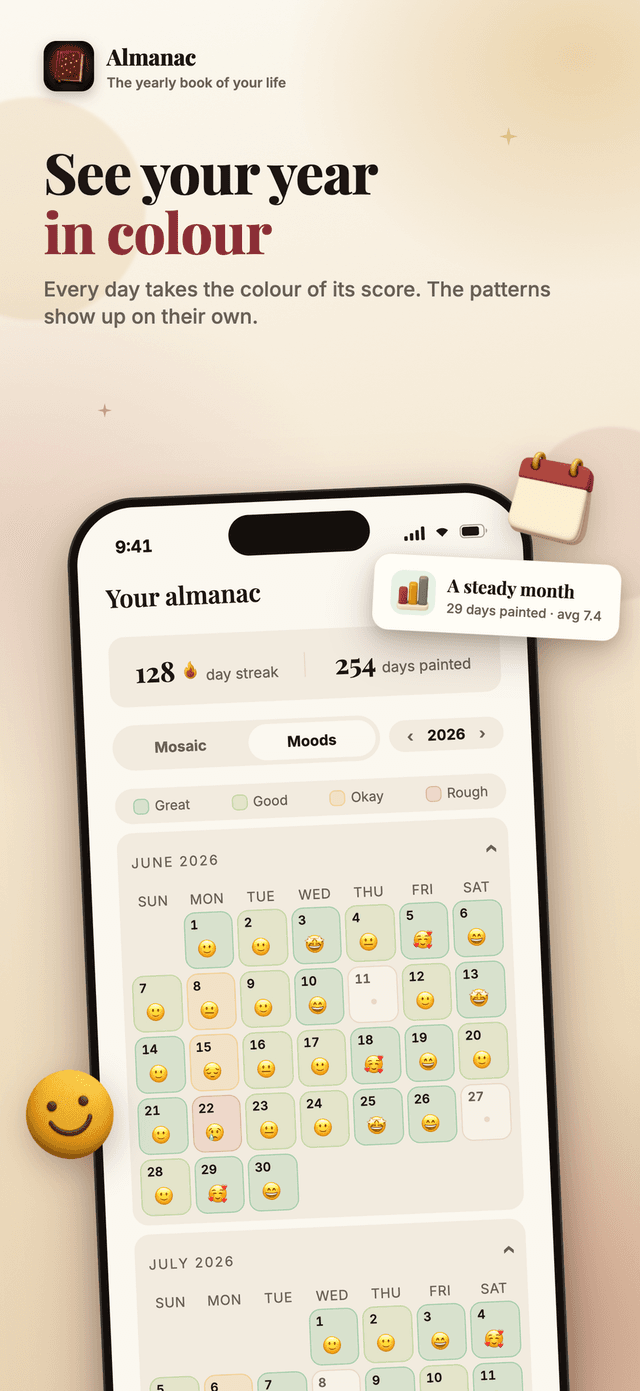
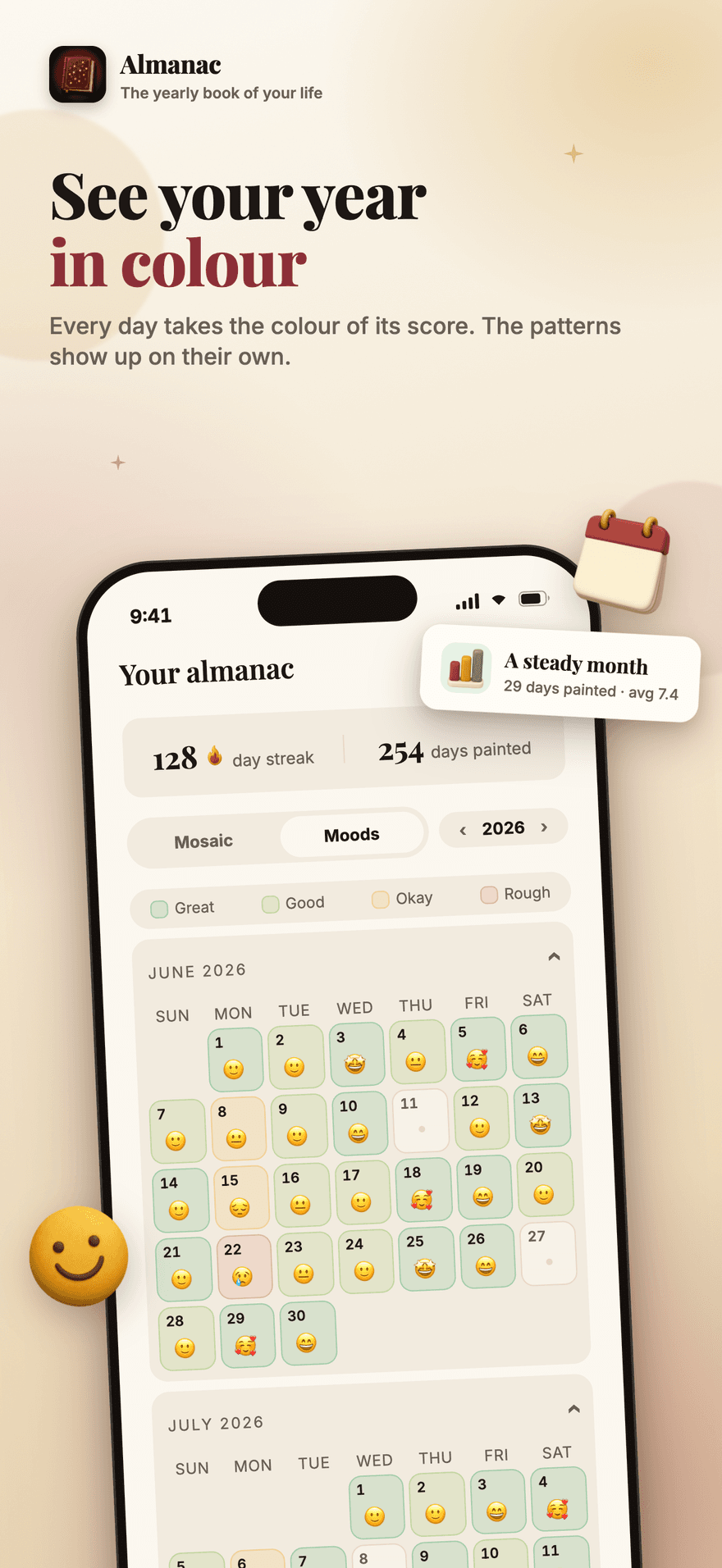
Almanac mood view colouring every day of the year by its score, so patterns show up on their own
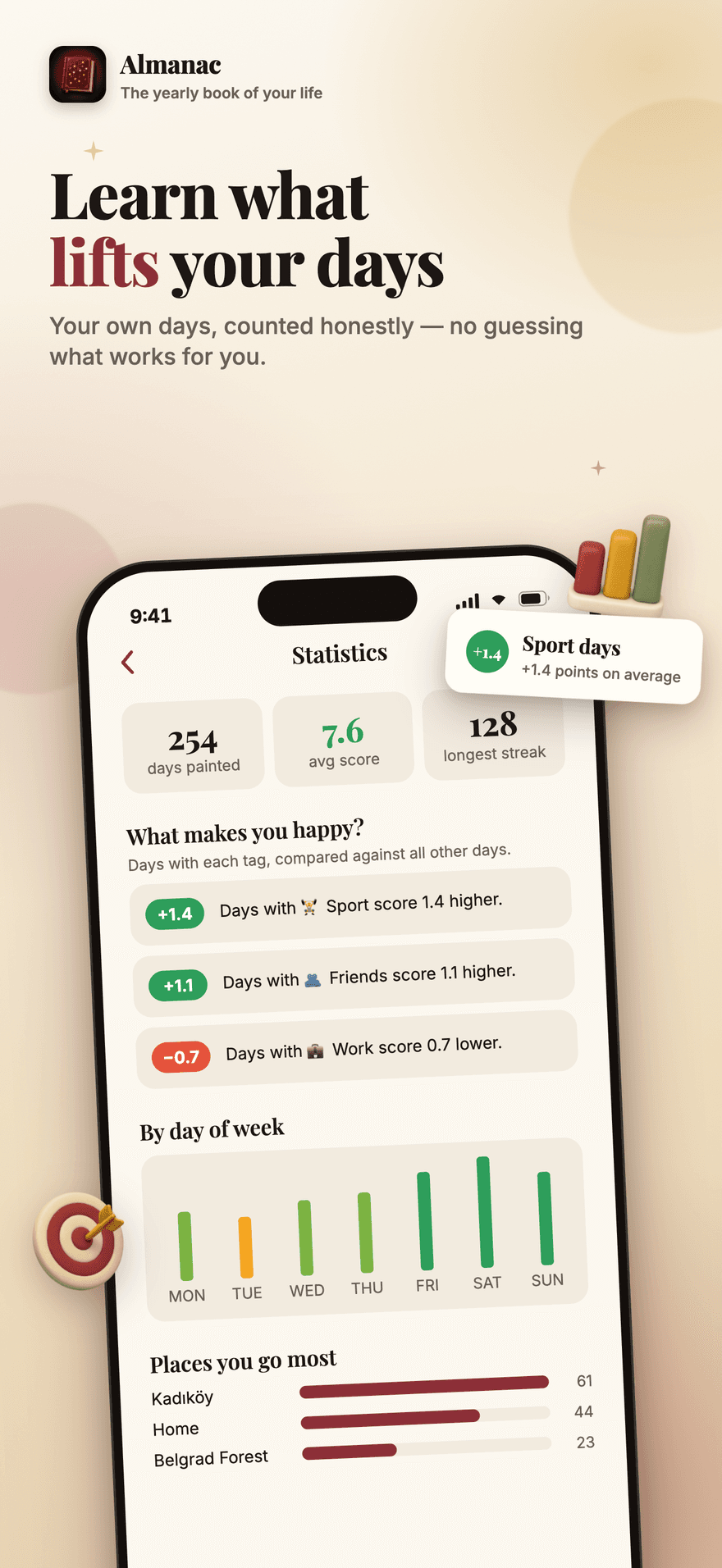
Almanac statistics comparing days with and without each tag to show what lifts your days
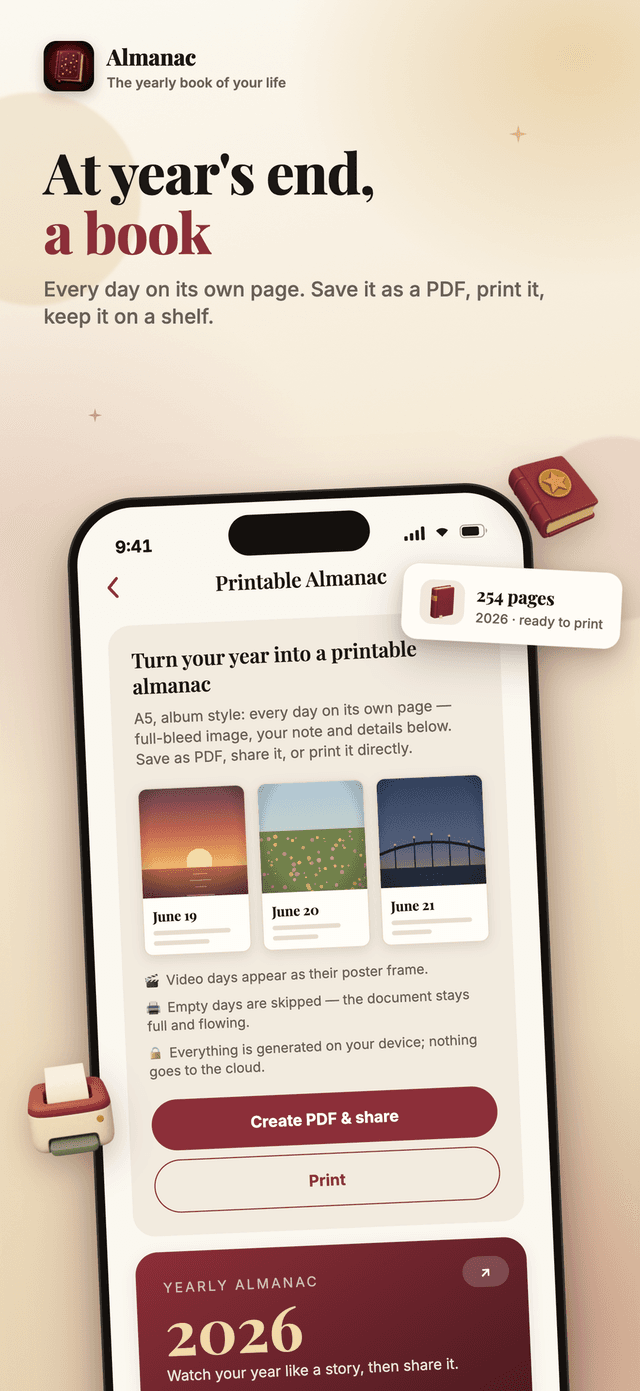
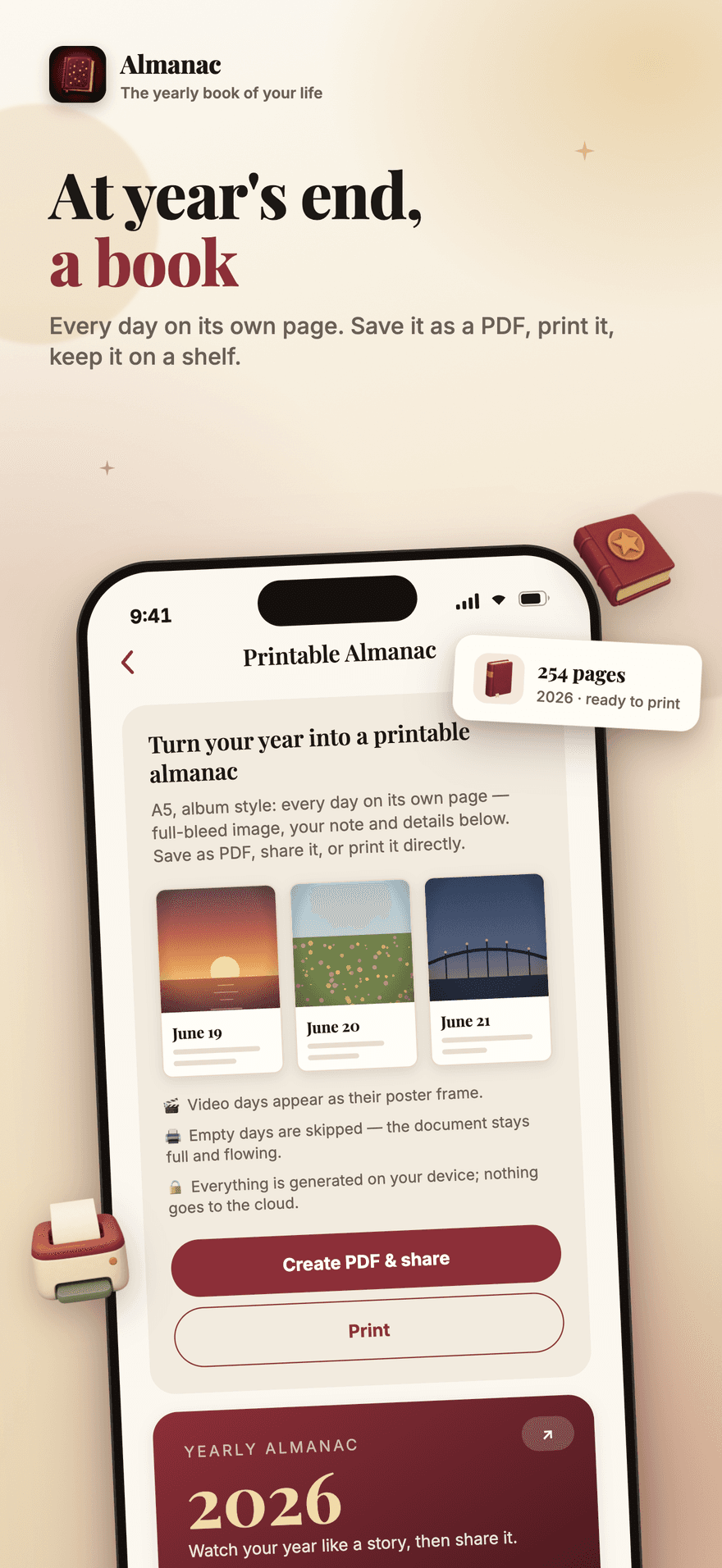
The printable Almanac: an A5 album with one full-bleed page per day, ready to save as a PDF
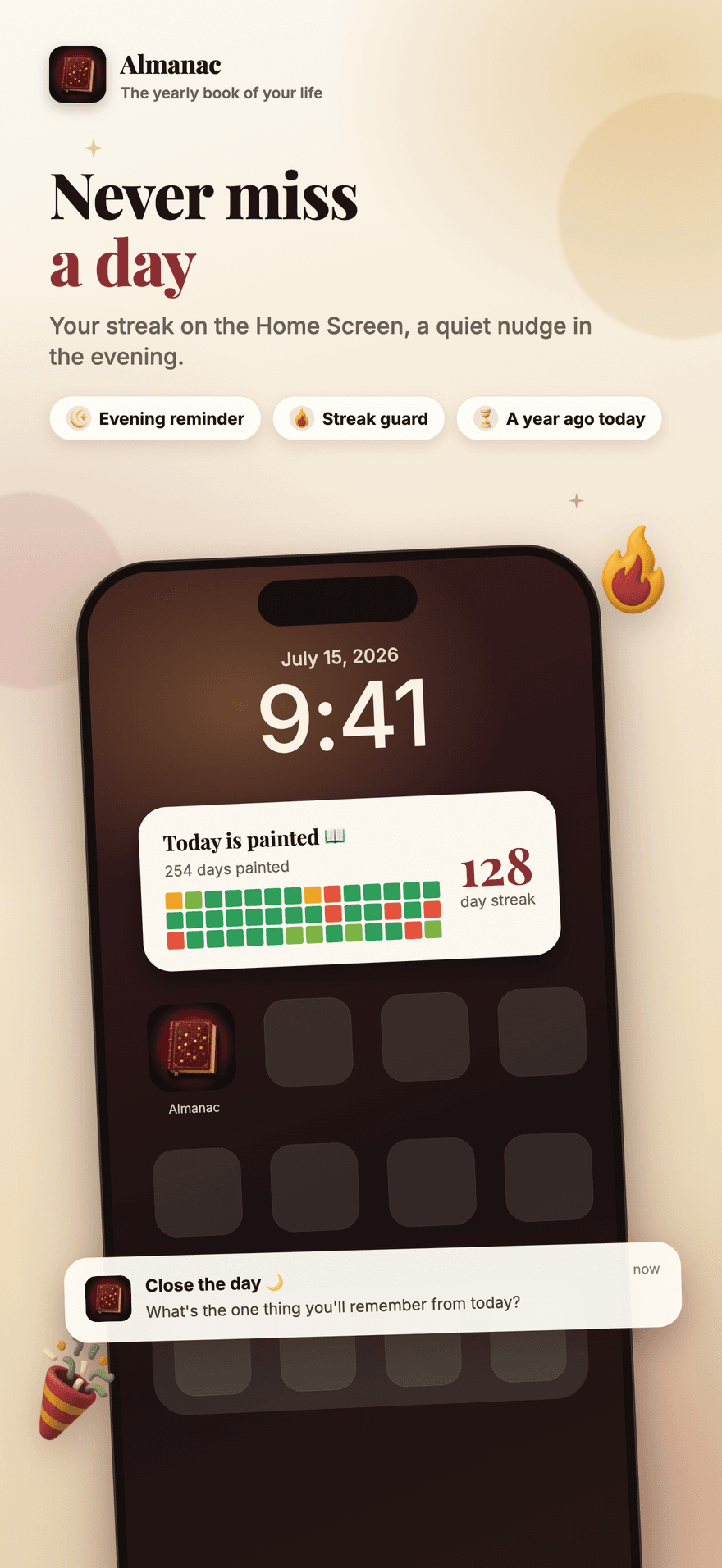
The Almanac Home Screen widget showing the streak, next to a quiet evening reminder
How it works
How Almanac works
Almanac is built around one small evening ritual. Four steps take you from an empty app to a year you can hold.
1
Start with a full book, not an empty one
Most journals open on a blank page and stay there. Almanac offers to scan your photo library on the device, pick the best frame from each recent day, and let you keep or drop each one — so your first evening already has something in it.
2
Paint today in thirty seconds
Pick a frame, write two lines, tap a mood and score the day out of ten. Anything else — weather, place, the people you were with, tags — is folded away under "add details" and is entirely optional. There is a prompt for the evenings when nothing comes to mind.
3
Watch the year fill in
The mosaic shows every day as its own photo; the mood view recolours the same grid by score, so a rough month is visible without reading a word. Search finds a day by note, place, person, tag or date, and "a year ago today" brings the old ones back on its own.
4
Close the year with a book
Statistics count your happiest days, the places you go, the people you see and which tags actually lift your score. The yearly recap plays it back as a story you can share, and the printable almanac lays out one page per day as a PDF you can save or print.
What it helps with
Thirty seconds a day, and a year you can hold
Almanac is an offline photo journal that takes thirty seconds a day: one frame, two lines, a mood and a score. Your days become a colour mosaic, a yearly recap and a printable book — all stored on your device.
An entry small enough to finish
A photo, a two-line note, a mood and a score out of ten. Weather, place, people and tags are folded away under "add details" — optional, every one of them. There is a prompt for the evenings when nothing comes to mind.
Start with a full book
Almanac can scan your photo library on the device and suggest the best frame from each recent day, so your first evening already has something in it instead of a blank page you are supposed to fill.
Your year as a mosaic
Every day is its own photo in a grid of the year. Switch to the mood view and the same grid recolours by score, so a rough month is visible without reading a single word.
Find any day again
Search runs on the device across notes, places, people, tags and dates. "A year ago today" brings old entries back on its own, and the map shows the days you attached a place to.
Learn what lifts your days
Statistics compare days with each tag against all your other days, so you can see what actually raises your score — counted from your own year, not from anyone else's.
A book at year's end
The recap plays your year back as a story you can share, and the printable almanac lays out one page per day as an A5 PDF you can save, share or print.
Why it matters
Almanac in practice
A streak you cannot buy
Only days recorded on the day itself extend a streak. Days filled in from your library, or completed later, are marked as backfilled and deliberately excluded. A streak that could be purchased would not tell you anything about the habit you were trying to build.
Offline, and yours
Everything runs on the device: the library scan, the search, the statistics, the recap and the PDF. There is no account, no cloud sync and no ads inside the app, and Settings has a one-tap JSON export so your years are never held hostage.
What Almanac is
The smallest daily journal that still turns into a book
Almanac is a photo journal for iOS and Android built around one entry a day: a frame, a short note, a mood and a score out of ten. It keeps everything on the device, shows the year as a mosaic you can read at a glance, counts statistics from your own entries, and ends the year with a shareable recap and a print-ready almanac.
HOW ALMANAC WORKS
One small ritual, repeated. The editor opens on the four things that matter and hides everything else, so an entry finishes before you can talk yourself out of it.
Pick a frame from your library, or shoot one
Write two lines, tap a mood, score the day out of ten
Add weather, place, the people you were with, and tags — all optional
Answer the day's prompt on the evenings when nothing comes to mind
Watch the mosaic of your year fill in, day by day
WHAT YOU GET BACK
A journal is only worth keeping if it gives something back. Almanac reads your own year to you rather than asking you to reread it.
The year mosaic, and a mood view that recolours it by score
On-device search across notes, places, people, tags and dates
Statistics: happiest days, days of the week, places, people, and which tags raise your score
Badges for streaks and milestones, and "a year ago today" resurfacing old entries
A yearly recap you can share, and a print-ready A5 almanac with one page per day
OFFLINE AND ON YOUR DEVICE
Photographs of your days, notes about how they went, and the people in them do not belong on someone else's server. Almanac is offline-first and specific about the little that leaves the phone.
Entries, photos, videos and locations are stored on the device; there is no account and no cloud sync
Media you pick is copied into the app's own folder, so a memory survives your gallery being cleaned out
Location is optional, never collected in the background, and resolved by your own operating system
An app lock with Face ID, Touch ID, fingerprint or your device passcode
A one-tap JSON export of every entry, and no adverts inside the app
About thirty seconds. The editor opens on the four things that matter — a photo, a short note, a mood emoji and a score out of ten — and everything else is hidden behind "add details". You can skip any of it; a single frame is a valid day.
Where are my entries stored?
On your device, in a local database, and the photos and videos you pick are copied into the app's own folder so a memory survives your phone clearing its cache or you deleting the original from the gallery. Almanac works fully offline and there is no account to create.
Can I fill in days I missed?
Yes. The backfill wizard scans your photo library on the device and suggests one frame per past day. Your first week includes the last seven days for free; completing older pages is a Premium feature. Backfilled days are marked as such and do not count toward your streak — a streak you could buy would not mean anything.
What does Premium unlock?
Completing older pages through backfill, and keeping more than one frame a day: up to three photos, collages, and short video. Premium also removes the watermark from the printable PDF and exports it at full quality. Everything else is free — writing a day, your streak, search, the mosaic and mood views, the statistics, badges, sharing and the JSON export.
Can I get a printed book?
Not yet. Almanac generates a print-ready A5 PDF on your device — one page per day, full-bleed image with your note below — which you can save, share or send to a printer yourself. A print-on-demand partner that would ship a hardcover to you is planned but not set up, so nothing in the app orders a physical book today.
Does Almanac use AI to write my year?
No. The yearly recap is composed from your own numbers — days painted, average score, best month, most frequent tag, place and person — using fixed sentence patterns. Nothing you write is sent anywhere to be summarised.
Is anything collected about me?
Your entries, photos and videos stay on the device. Almanac does send anonymous usage and attribution analytics, and asks for tracking permission on iOS, so we can tell which adverts are worth paying for — your entries are never part of that, and there are no ads inside the app. Purchases are handled by the store.
Can I lock the app, and can I get my data out?
Both. The app lock uses Face ID, Touch ID or your device's fingerprint and passcode, and Settings has a one-tap JSON export of every entry so your data is never held hostage by the app.
Get started
Start the book of this year
Almanac is an offline photo journal that takes thirty seconds a day: one frame, two lines, a mood and a score. Your days become a colour mosaic, a yearly recap and a printable book — all stored on your device.